
How to Create a Virtual Number – Step‑by‑Step Guide with CloudXentral 2025
How to Create a Virtual Number
Every business wants to be reachable wherever their customers are. With cloud‑based communications, geographical boundaries disappear. If you’ve ever asked “how to create a virtual number,” you’re in the right place. With CloudXentral, you can establish a local presence in multiple cities or countries—without opening new offices. Let’s walk through how you can do it.
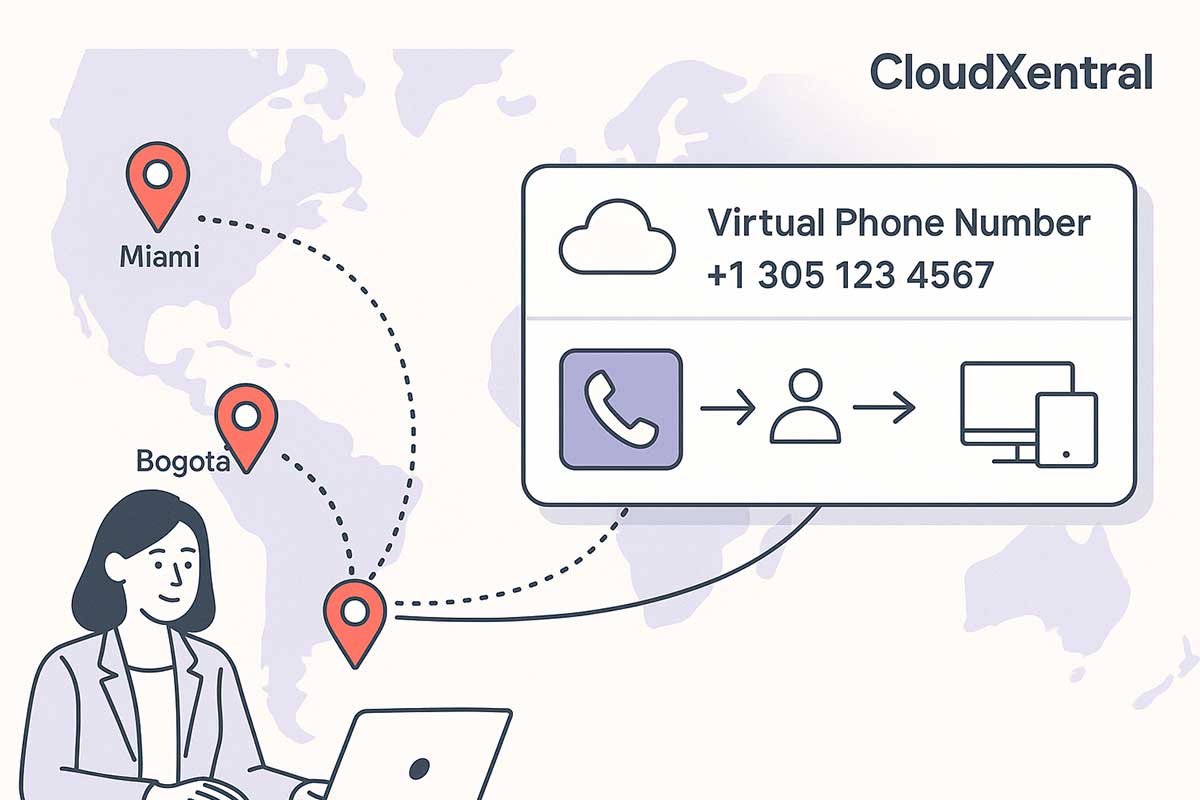
Choose the City or Country for Your Local Presence
Your first step is to pick the region where you want to be present. Maybe your team sits in Florida, but you want a local number in Bogotá, São Paulo, or Madrid. Here’s how the choice leads to growth:
Identify your target market
The value of a local number comes from the trust it builds. For example, if you serve clients in Miami or Broward County, a local area code makes you feel like home.
Select the right country
Some cities require specific licensing or routing, but with CloudXentral you simply pick the place where you want presence and proceed online.
Once you select the location, CloudXentral’s portal will show the available numbers and routes. This step is straightforward and quick.

Request Your Virtual DID Number
Un virtual number (DID) is your digital line. When you determine the city, the next action is to request a number.
¿Qué es un DID?
DID stands for Direct Inward Dialing—it’s a number that works like any local line but points to your cloud system. It brings inbound calls into your virtual PBX like they were in the same city.
The assignment process
Once your request is submitted, CloudXentral assigns your number with full VoIP support. You receive it, configure the routing, and it’s ready for use—no installations needed.
You asked “how to create a virtual number,” and this is where it happens: from online request, to provisioning, to activation—all within your cloud dashboard.

Tú podrías estar interesado...
Marcación interna directa permite a las empresas asignar varios números de teléfono a un único sistema PBX, lo que permite a los clientes contactar directamente con empleados o departamentos específicos. Cuando se realiza una llamada a un número DID, la PBX la enruta a la extensión designada sin requerir la intervención de una recepcionista.
Este sistema se integra con tecnologías VoIP y basadas en la nube, ofreciendo funciones avanzadas como desvío de llamadas, correo de voz a correo electrónico y análisis en tiempo real. Las empresas también pueden configurar reglas de enrutamiento de llamadas para garantizar que las consultas de los clientes se dirijan a los equipos adecuados, mejorando la eficiencia general de la respuesta.
Configure Call Routing to Fit Your Workflow
Having a number is just step one. The power is in routing it correctly. With CloudXentral you can route inbound calls where they need to go.
Direct the call to any device
You can send calls to an extension, a mobile app, a softphone, or even an AI virtual assistant. That means you can answer business calls while remote, on the move, or across time zones.
Custom workflows and IVR menus
Set up interactive voice response (IVR) menus, schedule time-based routing, and create rules like “if busy, forward to mobile” or “after hours, send to voicemail.” These features give you the flexibility to manage your presence globally.

Integrate with Your CRM or Service Platform
Once your virtual number is active and routing is set, unlocking additional features allows you to fully optimize communication. With CloudXentral, you can enable options like call recording, after-hours handling, or SMS and fax integration. These tools turn your virtual number into a centralized platform for voice, messaging, and documentation—keeping your business responsive, compliant, and available around the clock.
Activate Additional Features for Full Functionality
A virtual number becomes truly valuable when connected to your existing customer service ecosystem. By integrating it with platforms like HubSpot, Zoho, or Salesforce, every call is logged and tracked, improving follow-up, reporting, and overall customer management. This step turns your number from a basic line into a strategic asset that supports sales, service, and long-term relationship-building.
Conclusión
En 2025, la tendencia es clara: el call center en la Nube se consolida como la mejor opción para empresas que buscan flexibilidad, eficiencia y ahorro. Frente al modelo físico, ofrece escalabilidad, movilidad y control total sobre las operaciones desde un único panel digital.
Con CloudXentral, su negocio puede ofrecer atención profesional, conectarse con clientes desde cualquier parte del mundo y crecer sin limitaciones físicas ni tecnológicas. Es el momento de evolucionar hacia una comunicación más ágil, inteligente y rentable.
Whether you’re launching operations abroad or optimizing communication with international clients, a DID number is a powerful, accessible, and strategic tool. With El infrastructure and support, your business can grow beyond borders.
Califícanos en Clutch.co, ¡una de las principales plataformas de guías de negocios de los Estados Unidos!
“Sus comentarios sobre Clutch.co nos ayuda a crecer y servirle mejor. ¡Comparte tu experiencia hoy!
SÍGUENOS EN YOUTUBE
Tú podrías estar interesado...
Virtual PBX Business Continuity Business messaging in the United States …
RCS Business Messaging in US Business messaging in the United …
AI Agent Handoff AI virtual agents are becoming capable of …
AI Conversation Intelligence for Business For years, businesses have been …
 ES
ES  EN
EN
3 respuestas