
AI voice agent workflow automation: 2026 guide
AI voice agent workflow automation
Businesses have spent years improving how automated systems answer customer questions. In 2026, the competitive shift is moving toward something more demanding: whether the system can actually complete the task that caused the customer to call in the first place.
AI Voice Agent Workflow Automation connects a voice conversation with the systems, rules, and actions required to complete a customer request. Instead of stopping after understanding intent, the agent can participate in processes such as checking availability, booking appointments, updating schedules, capturing customer information, triggering follow-up, or transferring the conversation to a human with context.
This direction is increasingly visible across enterprise communications platforms. Twilio now describes AI-driven workflows that can update CRM records, trigger supervisor alerts, and start downstream processes from conversation signals, while RingCentral’s 2026 releases include AI agents designed to execute process-automation workflows using interaction context.
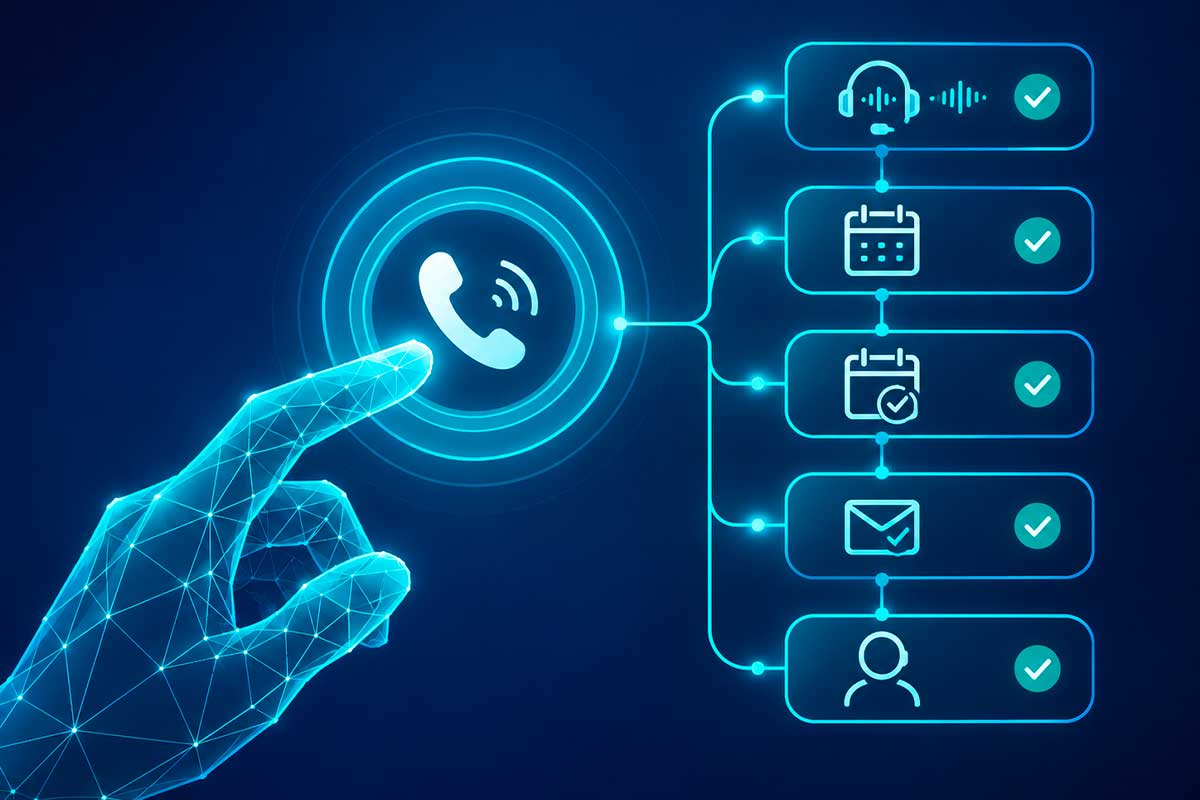
What is AI voice agent workflow automation?
AI Agent Workflow Automation is the use of conversational voice agents to understand a customer request and connect that request with the business systems needed to complete it.
The important word is workflow. A voice agent can understand that a customer wants to move an appointment to Friday afternoon, but understanding the sentence is only one part of the job. A successful workflow must check the calendar, find a valid opening, update the reservation, confirm that the change was accepted, and communicate the final result.
This is what separates workflow automation from a basic AI receptionist. The receptionist handles the conversation. A workflow-enabled voice agent connects the conversation to an operational result.
You might be interested...
Direct Inward Dialing enables companies to allocate multiple phone numbers to a single PBX system, allowing customers to contact specific employees or departments directly. When a call is made to a DID number, the PBX routes it to the designated extension without requiring intervention from a receptionist.
This system integrates with cloud-based and VoIP technologies, offering advanced features such as call forwarding, voicemail-to-email, and real-time analytics. Businesses can also configure call routing rules to ensure that customer inquiries are directed to the appropriate teams, improving overall response efficiency.
Why answering a customer is different from completing the task
A business can deploy a voice agent that sounds natural and still create poor customer experiences if its integrations fail behind the scenes. Customers care less about whether the AI sounded impressive than whether the appointment was changed, the request was registered, or the correct person received the call.
Consider a customer who says, “Move my appointment from Tuesday to Friday at 3 PM.” The agent may understand every word correctly. If Friday at 3 PM is already occupied or the calendar integration fails, telling the customer the change was completed would create a new operational problem.
AI Agent Workflow Automation therefore needs two types of accuracy: conversational accuracy and execution accuracy. The agent must understand what was requested, but the connected system must also confirm that the action actually happened.
How AI voice agents turn appointment requests into confirmed bookings
Appointment scheduling is one of the clearest examples because the process requires more than collecting a preferred date.
A caller may specify a service, preferred professional, location, day, or time window. The agent needs enough information to identify a valid appointment and then interact with the connected scheduling environment before confirming anything.
A practical appointment workflow contains three essential stages:
Understand the request: identify the service, location, professional, and scheduling preferences that matter.
Check availability: query compatible time slots according to the connected calendar and business rules.
Complete the booking: register the appointment and communicate the confirmed result to the customer.
How confirmations and reminders extend the workflow
A completed booking is not the end of the appointment process. Businesses still need to keep the reservation clear, communicate what was scheduled, and reduce uncertainty before the appointment date.
An automated workflow can send a confirmation after the reservation is created and schedule reminders according to the rules configured by the business. The customer receives a clearer record of what was booked, while the organization maintains a more structured appointment process.
The value becomes especially visible when a customer’s plans change. A reminder can give the customer an opportunity to reschedule rather than simply missing the appointment and leaving the business with an unused slot.

How automated waitlists recover scheduling opportunities
When a customer wants an appointment and no matching time is available, the conversation does not need to end with a simple rejection. A connected workflow can preserve the customer’s interest and use that information later.
CloudXentral’s virtual-agent model includes waitlist functionality designed around this situation. The system can record the requested service and scheduling preferences, then use newly available capacity when a cancellation or schedule change creates an opening.
A practical waitlist workflow can follow three steps:
Capture demand: record the customer and relevant scheduling preferences when no suitable opening exists.
Detect availability: identify a time slot released by a cancellation or another scheduling change.
Offer the opening: contact an eligible customer and allow that person to accept the newly available appointment.
How human handoff preserves conversation context
Automation should not force every interaction to remain inside the AI workflow. Complex requests, sensitive situations, unusual cases, or decisions requiring authority may need a human employee.
The stronger model is a controlled handoff where the agent gathers relevant information before the transfer. The person receiving the call can begin with context instead of asking the customer to repeat the entire story.
CloudXentral’s architecture is particularly relevant here because the voice agent operates within the communications environment rather than as an isolated external chatbot. The workflow can connect to extensions or queues and pass the interaction toward a human when the configured process requires it.
How customer information becomes part of the workflow
Customer calls contain information that often has to be manually re-entered after the conversation. Names, appointment preferences, service requests, location details, or other structured information may all be needed for the next step.
A workflow-enabled voice agent can capture relevant information during the interaction and make it available to the systems connected to the process. The specific fields and destinations depend on how the implementation is configured.
This distinction matters because businesses should not assume that every CRM or vertical platform works automatically with every AI voice system. Reliable automation requires a defined integration path, clear field mapping, and rules for what should happen when data is missing or inconsistent.
How automated follow-up can recover canceled and missed appointments
A canceled appointment can become another workflow trigger rather than the end of the customer journey.
Businesses can configure follow-up processes that contact customers after a cancellation or no-show and offer another opportunity to schedule. This can help recover demand that already existed without requiring staff to manually remember which customers need another call.
The objective is not to bombard customers with messages. A useful follow-up workflow is based on clear timing, business rules, and customer context so that communication supports the original service process.
How multilingual voice workflows support U.S. businesses
For U.S. organizations serving multilingual customers, language support becomes more valuable when the workflow works consistently across those interactions.
A bilingual voice agent should do more than translate words. It should still identify the correct intent, capture the right information, follow the same scheduling rules, and confirm the same operational result regardless of whether the customer speaks English or Spanish.
CloudXentral’s AI virtual agent for business is designed with English and Spanish support, making multilingual workflows particularly relevant for companies operating in diverse U.S. markets.
Why integration reliability determines workflow success
One of the most important technical concepts in AI Voice Agent Workflow Automation is that conversation success and system success are different things.
An AI agent can understand a request correctly while the backend action fails because the scheduling platform is unavailable, a time slot changed between lookup and confirmation, or the integration returned an unexpected response.
A reliable workflow therefore needs to validate execution before telling the customer that the task has been completed. That validation prevents the conversational layer from presenting an assumption as a confirmed business result.
This is also why mature AI deployments need error paths. If a workflow cannot complete the action, the agent should follow a defined alternative such as asking for another option, preserving the request, or escalating the call to a person.
From voice automation to completed customer work
The next stage of enterprise voice AI is less about making machines sound human and more about making automated conversations operationally useful.
Businesses need systems that can understand intent, connect to the right application, execute the requested action, validate the result, and escalate when the workflow cannot safely continue. That is the practical foundation of AI Voice Agent Workflow Automation.
CloudXentral brings this model into the business communications environment by connecting voice automation with PBX workflows, scheduling, transfers, customer data capture, waitlists, reminders, and follow-up processes.
When those elements work together, the voice agent becomes more than a digital receptionist. It becomes part of the operating workflow that turns a customer request into completed work.
FAQS
Voice agents typically rely on integrations or APIs that allow the workflow to query availability and create or update calendar events. The exact capabilities depend on the scheduling platform, authentication, and integration configured for the business.
Yes, if the implementation supports access to the relevant scheduling data. The workflow should verify the existing booking, check alternatives, update the appointment, and confirm that the change was successfully recorded.
An AI voice agent can book appointments when it is connected to a supported scheduling system and configured with the appropriate business rules. The workflow can check availability, create the booking, and confirm the appointment during the same interaction.
Yes, when the required systems and integrations are available. Voice agents can participate in tasks such as scheduling appointments, rescheduling bookings, collecting customer information, managing waitlists, triggering follow-up, or transferring calls with context.
AI Voice Agent Workflow Automation connects conversational voice AI with the business systems and rules required to complete customer tasks. The agent can understand the request, interact with connected tools, execute an action, and communicate the verified result.
FOLLOW US IN YOUTUBE
You might be interested...
AI voice agent workflow automation Businesses have spent years improving …
AI contact center process optimization Contact Centers generate thousands of …
Call Sentiment Outcome Analysis A customer can sound frustrated throughout …
Law firm client intake PBX A potential client may spend …
 EN
 ES